


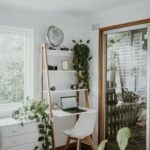






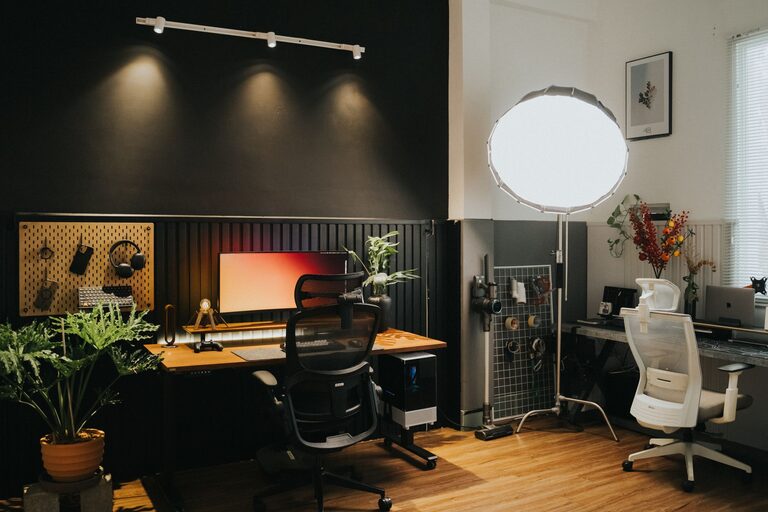
Creating a home office that is both cozy and functional can greatly enhance your productivity and overall work-from-home experience. Whether you have a dedicated room or just a small corner, there are simple steps to make your workspace inviting and efficient. This guide will walk you through practical tips to achieve the perfect balance of comfort and purpose in your home office.
Choose the Right Location
Selecting the right spot for your office is the foundation of creating a productive environment.
Consider Natural Light
Whenever possible, pick a space near a window. Natural light helps improve mood and reduces eye strain while working. Position your desk so that the light comes from the side, minimizing glare on your computer screen.
Minimize Distractions
Find a quiet corner or room where you can focus without frequent interruptions. If this isn’t possible, try using noise-cancelling headphones or adding soft background music to help maintain concentration.
Invest in Comfortable and Supportive Furniture
Your furniture should support long hours of work and promote good posture.
Ergonomic Chair
Choose an adjustable chair with good lumbar support. Sitting comfortably reduces the risk of back pain and fatigue.
Functional Desk
A desk with enough surface area accommodates your computer, papers, and other essentials without feeling cramped. Consider a standing desk or one with adjustable height if you want the flexibility to stand sometimes.
Organize and Declutter
A clutter-free space helps keep your mind clear and focused.
Storage Solutions
Use shelves, drawers, or storage boxes to organize supplies and documents. Label containers to easily find what you need.
Cable Management
Keep cords tidy using clips, sleeves, or under-desk trays. A neat workspace looks more inviting and minimizes distractions.
Personalize Your Space
Adding personal touches can make your office feel welcoming and boost your mood.
Decor and Color Scheme
Use colors that calm or inspire you, such as soft blues, greens, or warm neutrals. Hang artwork or photos that make you happy.
Plants
Incorporate a few low-maintenance plants to bring in a touch of nature. They can improve air quality and create a soothing atmosphere.
Optimize Lighting
Good lighting is essential for reducing eye strain and staying alert.
Layered Lighting
Combine ambient light (like ceiling fixtures) with task lighting such as a desk lamp. Adjustable lamps allow you to focus light where you need it most.
Avoid Glare
Position screens to minimize reflections and use shades or blinds to control sunlight.
Set Boundaries and Routine
Creating mental and physical boundaries helps separate work from personal life.
Defined Work Hours
Set regular start and finish times. This helps establish a routine and encourages breaks.
Dedicated Work Zone
Keep your work materials in one spot. When the workday ends, close the laptop and leave the workspace to mentally switch off.
Use Technology Wisely
Technology should simplify work, not complicate it.
Efficient Equipment
Invest in reliable hardware like a fast computer, printer, and ergonomic keyboard and mouse.
Software Tools
Use productivity apps, calendar reminders, and collaboration tools to keep organized and connected.
Maintain Comfort
Your comfort affects how long and how well you can work.
Temperature Control
Make sure your office isn’t too hot or cold. Use fans, heaters, or open windows to regulate temperature.
Take Breaks
Incorporate short breaks to stretch, hydrate, or step outside. This recharges your energy and prevents fatigue.
—
Creating a cozy and functional home office doesn’t require a large budget or complex renovations. With clear planning and thoughtful choices, your workspace can become a place where you feel comfortable, focused, and motivated. Start small and adjust your setup as you discover what works best for your needs. Happy decorating!